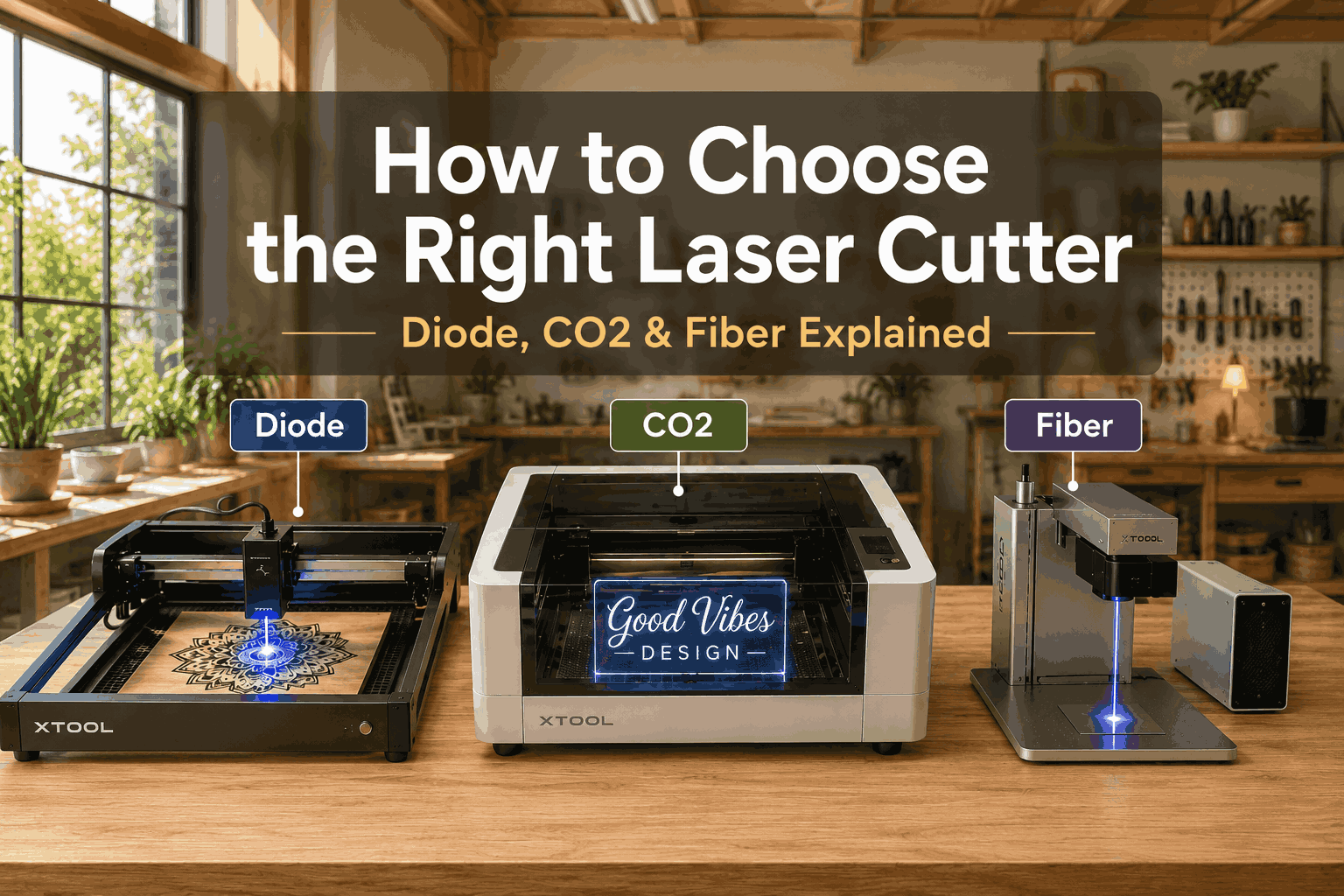
How to Choose the Right Laser Cutter. Part 1
Understanding Laser Cutters and Laser Technologies
Introduction
Laser cutting has transformed the way makers, hobbyists, and businesses create products. What once required expensive industrial equipment is now accessible to home workshops and small businesses. Today, laser cutters are used to create everything from personalized signs and layered wall art to jewelry, toys, wedding decor, and commercial products.
However, choosing a laser cutter can be overwhelming. The market is filled with machines that look similar but operate using completely different technologies. A machine that performs perfectly for cutting plywood may struggle with acrylic. Another may engrave metal beautifully but be unable to cut wood efficiently.
Understanding the differences between laser technologies is the first step toward making the right investment.
This guide will help you understand how laser cutters work, what materials they can process, and which type of machine is best suited for your projects.
What Is a Laser Cutter?
A laser cutter is a machine that uses a concentrated beam of light to cut, engrave, etch, or mark materials with incredible precision.
Unlike traditional cutting tools, lasers do not physically touch the material. Instead, the laser beam generates heat intense enough to vaporize, melt, or burn away the material exactly where required.
This allows makers to create intricate details that would be difficult or impossible using conventional tools.
- LightBurn
- xTool Creative Space
- Glowforge App
- LaserGRBL
- RDWorks
Most projects begin as vector files, typically:
- SVG
- DXF
- AI
This is why SVG files have become the standard format in the laser cutting industry.
Cutting vs Engraving
Many beginners assume every laser machine performs the same tasks. In reality, cutting and engraving are very different processes.
Laser Cutting
Laser Engraving
During cutting, the laser passes completely through the material.
Examples include:
- Wooden signs
- Layered mandalas
- Boxes and organizers
- Puzzle pieces
- Acrylic decorations
The laser follows vector lines and separates pieces from the material sheet.
Engraving removes only the surface layer.
Examples include:
- Personalized names
- Logos
- Photographs
- Decorative patterns
- Product branding
Many businesses generate significant revenue from engraving because it allows inexpensive products to become personalized gifts.
Why Laser Technology Matters
Not all laser beams are created equal.
The wavelength of a laser determines how materials absorb energy.
This is the reason some machines effortlessly cut clear acrylic while others cannot cut it at all.
Understanding this concept explains why laser cutters are divided into three major categories:
- Diode Lasers
- CO2 Lasers
- Fiber Lasers
Each technology excels in specific applications.
The Rise of Diode Lasers
Just a few years ago, laser cutting was primarily reserved for commercial workshops.
The arrival of affordable diode lasers changed everything.
Machines such as:
- xTool D1 Pro
- xTool S1
- Atomstack A20 Pro
- Ortur Laser Master 3
- Creality Falcon2 Pro
made laser cutting accessible to hobbyists.
A modern diode laser can:
- Cut plywood
- Engrave wood
- Mark leather
- Create signs
- Produce layered artwork
all from a home workshop.
For many creators, a diode laser is the gateway into the laser cutting world.
The Evolution of CO2 Lasers
While diode lasers opened the door for beginners, CO2 lasers remain the preferred choice for serious makers and small businesses.
Their biggest advantage is versatility.
A quality CO2 machine can process:
- Plywood
- MDF
- Hardwood
- Acrylic
- Leather
- Rubber
- Fabric
- Paper
This flexibility allows makers to create a much wider range of products.
Popular examples include:
- K40
- Full Spectrum Muse
- Glowforge Pro
- xTool P2
- OMTech Polar
- Monport 40W
- Gweike Cloud
- Boss Laser LS
- Boss Laser HP
- Epilog Zing
- Epilog Fusion
- Trotec Speedy
- Thunder Laser Nova
For businesses selling products online, CO2 lasers often represent the sweet spot between affordability and professional capability.
Fiber Lasers: The Metal Specialists
Fiber lasers occupy a completely different category.
Unlike diode and CO2 systems, fiber lasers are designed primarily for metals.
These machines are commonly used for:
- Industrial marking
- Serial numbers
- Tool identification
- Jewelry engraving
- Firearm engraving
- Metal branding
Because of their specialized nature, fiber lasers are typically purchased by businesses with specific production needs.
For most hobbyists and home workshops, a diode or CO2 machine is usually a more practical choice.
Common Materials Used in Laser Cutting
Before selecting a machine, it’s important to understand what materials you plan to work with.
Wood
It is the most popular material for laser cutting, with the most in-demand options being Baltic birch plywood, linden, hardwoods, and MDF. This material is valued for its clean edges, subtle scorch marks that give the product a rustic look, and its affordability—it is ideal for making signs, toys, home decor items, multi-layered art pieces, and organizers.
Acrylic
Acrylic offers a premium, polished appearance that customers often associate with professional-grade products. Its clean edges and ability to come in cast or extruded form (cast acrylic engraves and flame-polishes better) make it a favorite for business signs, wedding decorations, LED lamps, and personalized gifts. CO₂ lasers dominate this category, since their 10,600nm wavelength is absorbed efficiently by acrylic — producing clean, glass-smooth cut edges without the chipping or melting issues diode lasers struggle with.
Leather
Leather takes beautifully to laser engraving, producing rich, contrast-heavy effects that elevate everyday items into premium goods.Leather takes beautifully to laser engraving, producing rich, contrast-heavy effects that elevate everyday items into premium goods. Wallets, keychains, journal covers, and personalized gifts are among the most popular projects, and many makers pair leather accents with laser-cut wood backing or hardware for a higher-end, mixed-material finish.
Cardboard and Paper
Paper and cardboard are often overlooked, but they open up excellent opportunities for packaging prototypes, greeting cards, invitations, and decorative crafts. Even entry-level diode lasers handle these materials easily, making them an accessible starting point for beginners and a fast, low-cost option for prototyping before moving to pricier materials.
Choosing the Right Machine Starts With Your Goals
One of the biggest mistakes beginners make is choosing a laser based on price alone — and it’s an easy trap to fall into. A bigger watt count or a lower price tag feels like a safe bet, but it says nothing about whether the machine can actually make what you have in mind. The result is often a costly do-over: a diode laser that can’t touch acrylic, or a CO₂ machine that leaves metal jewelry completely untouched.
Before comparing specs, slow down and answer a few honest questions:
- What products do I actually want to create?
- Which materials will I be working with most often?
- Is this a hobby for fun, or the start of a business?
- Will I need to cut acrylic at some point?
- Do I plan to sell finished products online or at markets?
These answers matter more than any spec sheet, because they point you toward the right laser technology first — diode, CO₂, or fiber — long before you start comparing individual models. Get the technology right, and the rest of the decision becomes much easier.
Here’s how common project types typically map to laser type:
| Project | Best Laser Technology |
|---|---|
| Layered wall art | Diode or CO₂ |
| Acrylic signs | CO₂ |
| Jewelry engraving | CO₂ or Fiber |
| Metal marking | Fiber |
| Home decor products | Diode or CO₂ |
| Business-scale production | CO₂ |
A simple way to think about it: diode lasers are the budget-friendly entry point for wood, paper, and leather; CO₂ lasers are the versatile all-rounder that adds clean acrylic cutting and stone/glass engraving to the mix; and fiber lasers are the specialists, built almost exclusively for marking and engraving metal. Knowing which bucket your dream projects fall into will save you both money and frustration down the line.
Diode vs CO2 vs Fiber Lasers — Strengths, Weaknesses and Best Use Cases
Now that you understand the basics of how laser cutters work, it’s time to compare the three major laser technologies head-to-head in real-world scenarios — because the right answer depends entirely on what you’re building.
Most buyers start with the wrong question: “What’s the best laser cutter?” There isn’t one — each technology is built around a different wavelength, and that wavelength determines which materials it can actually interact with. The better question is: “What’s the best laser cutter for the projects I want to create?”
The three technologies don’t compete on a single scale of “better” or “worse” — they specialize:
- Diode lasers (typically 5–40W) are compact, affordable, and ideal for engraving and light cutting of wood, leather, paper, and dark acrylic — but they struggle with clear acrylic and can’t touch metal or stone in any meaningful way.
- CO₂ lasers (typically 40–150W) use a 10,600nm beam that’s strongly absorbed by organic and non-metallic materials, making them the most versatile choice — clean acrylic cuts, deep wood cutting, glass/stone engraving — but they’re essentially blind to bare metal.
- Fiber lasers (typically 20W–1kW+) emit at 1064nm, a wavelength metals absorb efficiently, making them the gold standard for marking, engraving, and cutting stainless steel, aluminum, and other metals — but they pass straight through clear acrylic and can’t cut wood or fabric at all.
This is why a machine that’s perfect for acrylic business signs can be a poor — even unusable — choice for metal jewelry engraving, and why a fiber laser that marks stainless steel flawlessly will sit idle the moment you try to cut a plywood ornament. Picking the wrong technology isn’t a minor inconvenience; it’s often a hard wall that no amount of settings-tweaking can get around.
With that foundation in place, let’s break down each technology in detail — power ranges, ideal materials, real cost expectations, and where each one shines (or falls short).
Diode Laser Cutters
Diode lasers have become the most popular entry point into laser cutting, and for good reason. Affordable pricing, plug-and-play setup, and surprisingly capable output make them the go-to choice for hobbyists, side hustlers, and anyone testing the waters before committing to a pricier machine.
How Diode Lasers Work
Diode lasers generate a concentrated blue beam (typically around 450–460nm) using compact semiconductor diodes — the same basic technology behind laser pointers and Blu-ray drives, just scaled up in power. Unlike CO₂ machines, there’s no fragile glass tube, no high-voltage power supply, and no water-cooling loop to manage; most diode lasers rely on simple air cooling or heat sinks instead.
This stripped-down design is exactly what keeps diode lasers affordable, lightweight, and low-maintenance — many models start under $300 and can run for years with little more than the occasional lens cleaning. The tradeoff is power: diode lasers max out around 20–40W of optical output (often advertised at inflated “module” wattage), which is enough for engraving and cutting thinner materials, but well short of what CO₂ or fiber lasers can push through.
Advantages of Diode Lasers
Affordable Pricing
Most hobby-grade diode lasers fall in the $300–$1,500 range, making them by far the most accessible entry point into laser cutting — a fraction of what a comparable CO₂ setup would cost.
Easy Setup
Most machines assemble in just 30–60 minutes, with clear instructions and minimal calibration. There’s no enclosure to build, no exhaust system to plumb in for basic use, and no laser alignment to fuss over — open the box, connect the software, and start cutting.
Low Maintenance
With no laser tube to eventually replace and no mirrors to keep aligned, diode lasers are about as “set it and forget it” as laser cutting gets. Occasional lens cleaning and belt tensioning are usually the extent of the upkeep.
Excellent for SVG Projects
Diode lasers are a natural match for SVG-based craft work, excelling at:
- Layered mandalas
- Wall art
- Signs
- Toys
- Decorative ornaments
- Personalized gifts
Their fine beam spot and steady engraving speed make them especially well-suited to the kind of detailed line work common in Cricut-style and laser-cut SVG designs — a nice bridge between the two niches you’re already building content around on mylaserfiles.top and the new SVG section.
Limitations of Diode Lasers
Despite their popularity, diode lasers have limitations.
Acrylic Problems
Most diode lasers struggle with clear acrylic.
The laser wavelength simply passes through transparent material.
Slower Cutting
Compared to CO2 machines, cutting speeds are significantly slower.
Thickness Restrictions
While modern 20W and 40W systems are impressive, they still have limits when processing thick materials.
Best Diode Laser Models
xTool D1 Pro
One of the most respected diode lasers on the market.
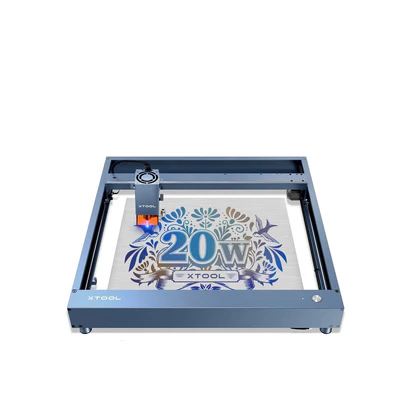
Specifications:
Laser type: diode, 455 nm (blue)
Module power: 5 W / 10 W / 20 W (three power options—a difference from its predecessor, the xTool D1—along with a more advanced laser module and a 2.5-fold increase in speed)
Working area: 430 × 400 mm for the 5W and 10W versions; 430 × 390 mm for the 20W version (slightly smaller due to the larger laser unit)
Maximum speed: up to 400 mm/s thanks to a powerful laser and advanced stepper motor drivers
Design: Open-frame DIY kit—sturdy aluminum frame, steel linear rails and rollers, two NEMA17 stepper motors driven by synchronous belts on the X and Y axes
xTool D1 Pro was one of the most popular diode laser cutters of its time, prized for its powerful 5W/10W/20W modules, fast 400mm/s engraving speed, and rock-solid open-frame build quality. (Note: xTool officially discontinued the entire D Series in January 2025, and it’s no longer available through xTool or Amazon — though units occasionally surface on AliExpress from third-party sellers while stock lasts.)
xTool S1
The enPopular among budget-conscious makers. Closed evolution of the D1 Pro.
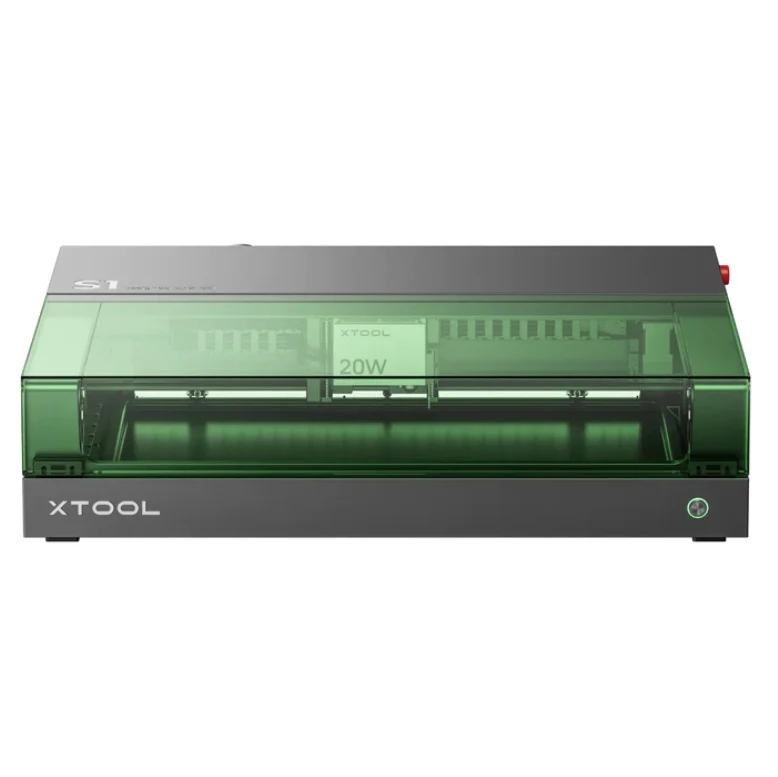
Specifications
Laser type: diode, 455 nm (blue), with an optional 1064 nm IR module
Module power: 10 W / 20 W / 40 W — unlike the xTool M1, which offers only 5 W and 10 W, the S1 provides significantly more power thanks to its interchangeable laser modules. The 40W output is achieved through laser beam combining technology—eight 5.5W lasers are combined into a single beam, resulting in cutting efficiency comparable to CO₂ machines.
Working area: 498×319 mm (19.61×12.56″) for the 40W version; 498×330 mm (19.61×13″) for the 20W version; total table area—607.82×385.06 mm, expandable up to 3000 mm with an automatic conveyor feeder.
Speed: up to 600 mm/s.
Cutting capabilities: The 40W model cuts 18 mm of cherry wood, 15 mm of dark opaque acrylic, and 0.1 mm of stainless steel in a single pass; the 20W model cuts 10 mm of cherry wood, 8 mm of dark acrylic, and 0.04 mm of stainless steel.
Spot size: The 20W model has a smaller spot size (0.06 × 0.08 mm) than the 40W model (0.08 × 0.10 mm), which allows for finer detail during engraving.
Important limitation: The diode module can only cut dark/opaque acrylic—the 455 nm beam does not penetrate clear or glossy acrylic, as is the case with all diode machines.
ATOMSTACK 20W A20 PRO V2
Popular among budget-conscious makers.
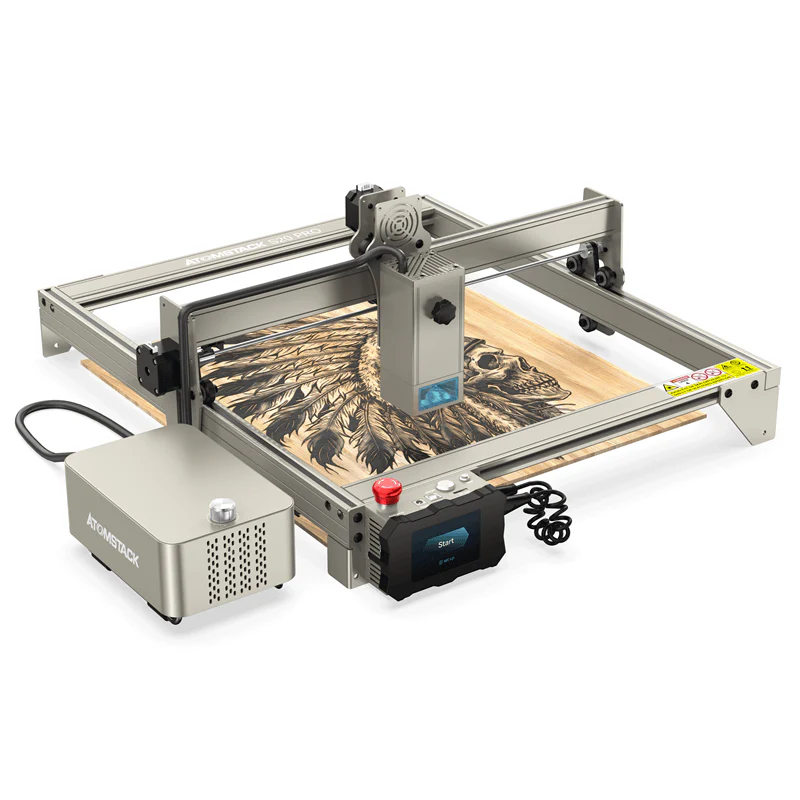
Specifications
Laser type: diode, 455±5 nm (blue)
Laser output power: 20 W optical power (total machine power — 130 W, with the laser power itself being 20 W).
Technology: The world’s first 130W semiconductor laser engraver, utilizing a configuration of four 6W lasers combined to deliver 20W of output power
Spot size: Focused spot 0.08 × 0.1 mm, engraving accuracy 0.01 mm
Working area: 400 × 400 mm
Cutting capabilities: cuts 15 mm tungsten board and 8 mm black acrylic in a single pass, as well as thin stainless steel 0.05 mm thick.
Metal engraving: Capable of color engraving on stainless steel—over 400 different colors can be achieved by adjusting parameters and through oxidation.
Atomstack has a confusing lineup of model names—the A20 Pro, S20 Pro, and X20 Pro—which are essentially the same machine, differing only in the color of the case. In addition, there is a separate A20 Pro V2 (an updated version with improved software) and a completely different model, the A20/K1 Pro 1064nm—which is a fiber laser for metal.
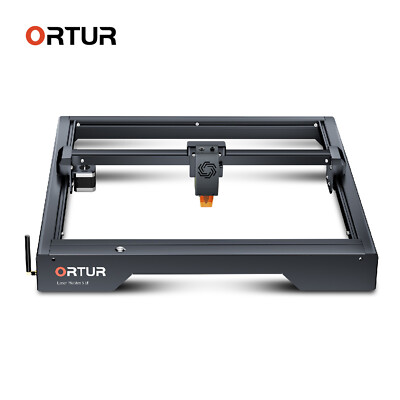
Ortur Laser Master 3
The Ortur Laser Master 3 (OLM3) is a high-speed diode laser engraver designed for makers, small businesses, and DIY enthusiasts. Built-in safety features, Wi-Fi connectivity, and LightBurn compatibility make it a versatile choice for professional-quality projects.
Specifications
Laser type: diode, 445±5 nm (blue); 10W / 20W / 40W modules provide powerful engraving and cutting with high precision and speed for a variety of creative projects
Module power: LU2-10A — optical power >9,500 mW, spot size 0.05 × 0.10 mm; LU3-20A — >18,000 mW, spot size 0.08 × 0.08 mm; LU3-40A — >40 W, spot size 0.1 × 0.15 mm
Engraving speed: up to 20,000 mm/min
Working area: 400 × 400 mm
Cutting capabilities: cuts 10 mm basswood plywood, 15 mm pine board, and 8 mm black acrylic in a single pass; cutting depth increases to 30 mm with multiple passes
Metal engraving: produces over 380 colors on stainless steel through a thin oxide layer
Air assist: a built-in air tube, combined with a pump, reduces burn marks by 50%
Cuts 10 mm basswood plywood, 15 mm pine board, and 8 mm black acrylic in a single pass; cutting depth increases to 30 mm with multiple passes. Metal engraving: Creates over 380 colors on stainless steel by depositing a thin layer of oxide
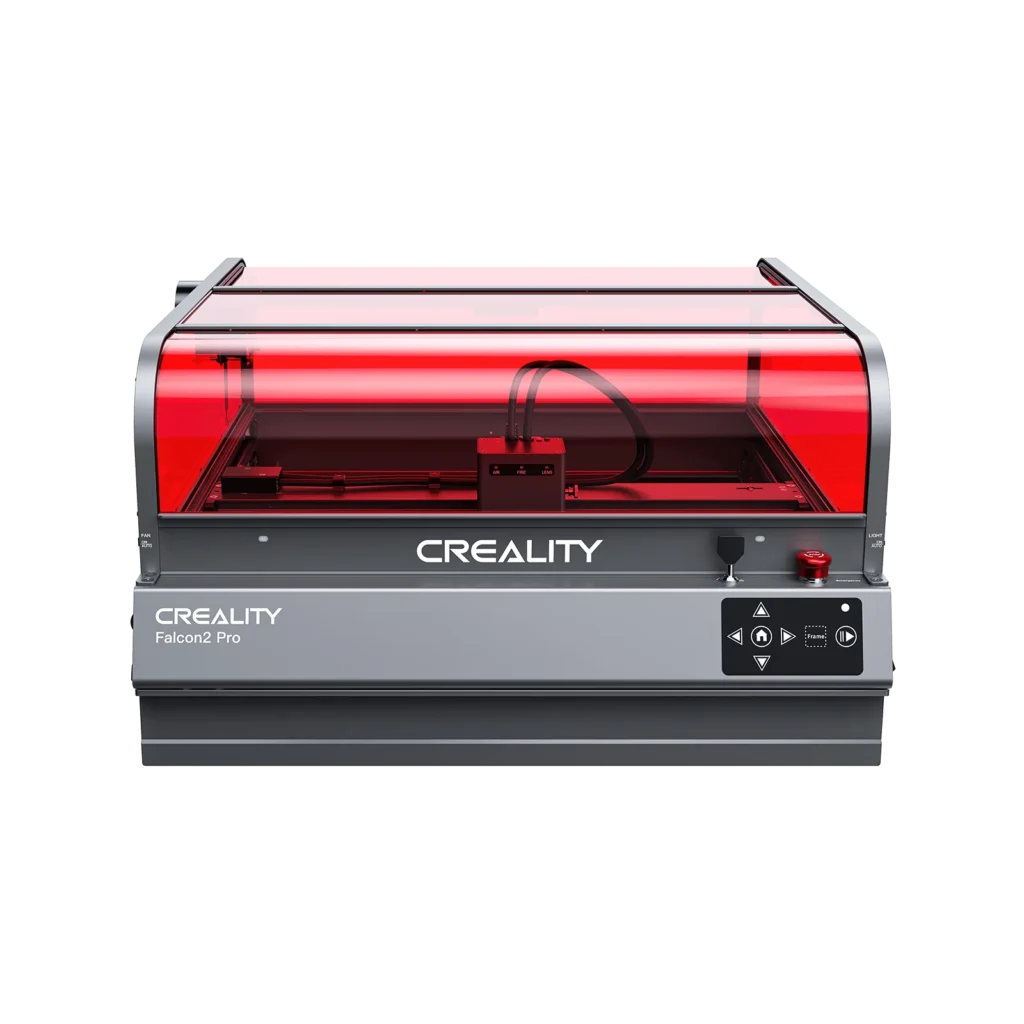
Creality Falcon2 Pro
The Creality Falcon2 Pro is a professional diode laser engraver designed for creators, small businesses, and workshop owners. Its fully enclosed design improves safety and ventilation, while the built-in camera, air assist, and high-speed operation make production faster and more accurate. Falcon2 Pro is suitable for cutting and engraving wood, acrylic, leather, cardboard, fabric, and coated metals.
Specifications
Laser type: diode, 455±5 nm (blue); available in 22W/40W/60W versions for high-speed engraving and cutting on wood, acrylic, leather, and other materials
Engraving speed: up to 36,000 mm/min (600 mm/s)
Working area: 400 × 400 mm
Cutting capabilities:
22W: cuts up to 15 mm basswood in a single pass
40W: cuts up to 20 mm basswood in a single pass
60W: cuts up to 22 mm basswood, 30 mm black acrylic, and thicker materials with multiple passes
Metal engraving: engraves stainless steel, anodized aluminum, painted metals, and can create detailed color markings on selected metal surfaces
Air assist: integrated air assist system improves cutting quality, minimizes smoke residue, and reduces burn marks for cleaner edges
Camera positioning: built-in HD camera enables precise material alignment, batch processing, and project preview
The Creality Falcon2 Pro combines powerful cutting performance, a built-in camera, and a fully enclosed safety design, making it ideal for professional laser projects.
Who Should Buy a Diode Laser?
A diode laser is often the best choice for makers, hobbyists, and small business owners who primarily work with wood, leather, cardboard, and other craft-friendly materials. Modern diode machines offer an excellent balance of affordability, ease of use, and creative flexibility, making them ideal for a wide variety of laser-cutting projects.
If your goal is to create detailed Layered Wall Art, personalized home decorations, custom gifts, or intricate decorative designs, a diode laser can deliver impressive results without the higher investment required for a CO2 machine. These lasers are especially popular among Etsy sellers and DIY creators who regularly produce Personalized Signs, family name plaques, seasonal decorations, and custom wall décor.
Diode lasers also perform exceptionally well for Toys and Games, including educational puzzles, wooden construction kits, brain teasers, and family-friendly projects made from plywood. Their precision makes them a great option for cutting detailed parts while keeping material costs low.
For creators focused on Home Decor, diode lasers can easily handle layered mandalas, decorative panels, ornaments, lanterns, and other products that continue to perform well on marketplaces like Etsy and Pinterest. They are equally useful for producing practical Box and Organizer Projects, such as desk organizers, storage trays, gift boxes, and workshop accessories.
Many makers also use diode lasers to create products for local markets, gift shops, and seasonal events. From personalized gifts to handcrafted decorations, diode machines are capable of producing a wide range of Craft Fair Products that offer strong profit potential while requiring relatively low startup costs.
For many hobbyists and side-business owners, a quality diode laser may be the only machine they ever need. However, if you plan to work extensively with acrylic, increase production speed, or start a larger commercial operation, a CO2 laser may be a better long-term investment.
In the next section, we’ll take a closer look at CO2 laser cutters, exploring their advantages, limitations, and why they remain the preferred choice for businesses working with acrylic, thicker materials, and higher-volume production.